Understanding Relationships, Not Just Keywords
Keywords aren't enough when your data is connected. Docmet uses GraphRAG (Graph-based Retrieval-Augmented Generation) to map the relationships between entities in your knowledge base—enabling the AI to answer questions that require understanding how information connects across thousands of documents.
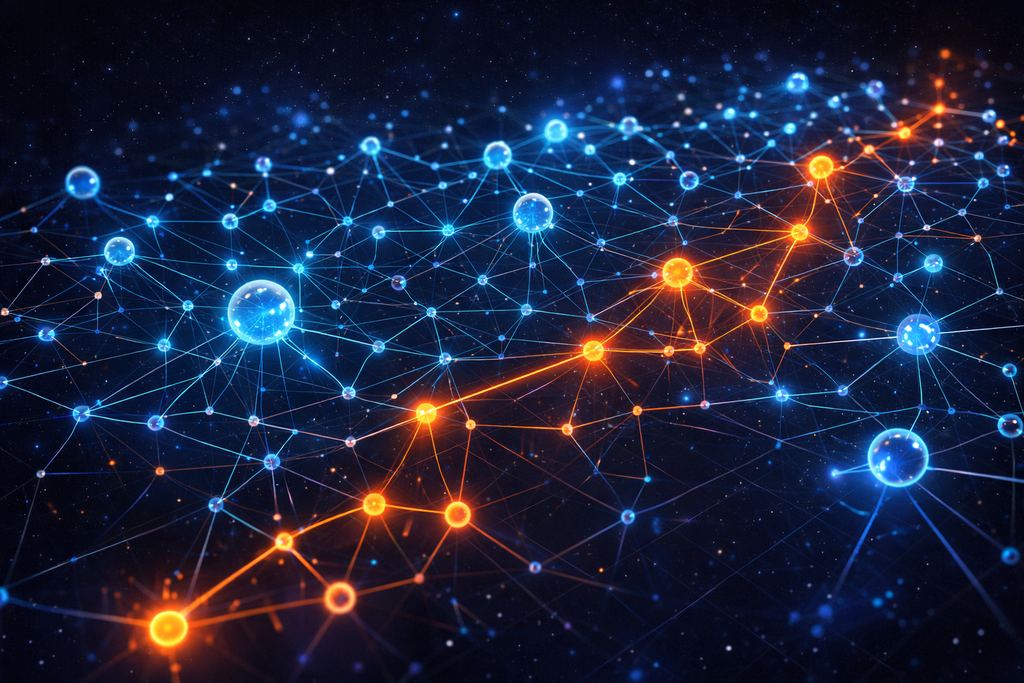
The Missing Link Problem
Imagine you have 10,000 documents. "Project Alpha" is mentioned in Document #42. The failure of "Project Alpha" is discussed in Document #1,247. A standard keyword search for "project failure" won't find Document #42 because it doesn't contain the word "failure." This is the Disconnected Knowledge Problem. Information is scattered, relationships are implicit, and keyword-based search cannot connect the dots.
🔍 Misses Implicit Connections
Document A mentions "Q3 Audit Report." Document B discusses "compliance violations." If the audit discovered those violations, the documents are related—but keyword search cannot infer this relationship. It only finds exact term matches.
📄 Vector Search Isn't Enough
Vector embeddings capture semantic similarity ("budget" ≈ "financial plan") but cannot represent structured relationships like "Budget 2025 FUNDS Project X" or "Policy A SUPERSEDES Policy B." These are logical connections, not just semantic similarity.
🧩 Cannot Follow Chains of Reasoning
Query: "Who manages the project that is over budget?" requires: (1) Find over-budget projects, (2) Traverse to project manager relationship. Traditional search does step 1 but cannot do step 2—it doesn't understand the "manages" relationship.
📂 Documents as Islands
Every document is treated as independent. The fact that Contract A references Policy B, which cites Regulation C, creating a compliance chain—this three-way connection is invisible to traditional search.

Connecting the Invisible Dots
GraphRAG doesn't just index text—it extracts entities (People, Places, Projects, Policies) and relationships (Mentions, Depends On, Manages, Supersedes) to build a comprehensive knowledge graph that mirrors how information actually connects in your organization.
🏷️ Identify Key Entities
Using advanced NER (Named Entity Recognition) and LLM-based extraction, Docmet automatically identifies entities in your documents: People (names, roles), Organizations (departments, companies), Projects, Policies, Concepts, Dates, Locations. Each entity becomes a node in the graph.
🔗 Discover Connections
Beyond entities, we extract relationships: "John Doe MANAGES Project Alpha," "Policy B SUPERSEDES Policy A," "Q3 Audit IDENTIFIES_RISK_IN IT Security." These relationships become edges in the graph, creating a web of interconnected knowledge.
🛤️ Follow Chains of Logic
When you ask "How does X affect Y?", the Retriever Agent traverses the graph: Start at entity X → follow relationship edges → reach entity Y. Supports unlimited hops. Example: Budget → FUNDS → Project → MANAGED_BY → Person.
🎯 Discover Hidden Themes
Louvain clustering algorithm groups related entities into communities (thematic clusters). This enables "global search": "What are the top 3 compliance themes across all our contracts?" The system clusters contracts into communities and summarizes each theme.

From Raw Documents to Intelligent Graph
Four automated stages transform your files into a living knowledge network
Document Ingestion
You upload PDFs, Word docs, or sync from Google Drive / SharePoint. Our system extracts text, preserves structure (headings, tables), and stores metadata (author, date, version). Documents are chunked intelligently to preserve context.
Entity Extraction & Normalization (NER + LLM)
We run multi-pass entity extraction: (1) Traditional NER for standard types (Person, Organization), (2) LLM-based extraction for domain-specific entities (Policies, Projects, Risks), (3) Coreference resolution to merge variations ("Microsoft" = "MSFT" = "Microsoft Corp"). Entities are deduplicated and normalized.
Relationship Discovery & Graph Construction
We infer relationships using co-occurrence patterns, dependency parsing (subject-verb-object triples), and LLM-based classification. Entities become nodes and relationships become typed, weighted edges (MANAGES, FUNDS, SUPERSEDES). Community detection clusters related entities, and the final graph is indexed alongside vector embeddings for fast hybrid search.

Queries Only Graphs Can Answer
These real enterprise queries are impossible with keyword or vector search alone—they require understanding relationships.
👥 Who manages the project that is over budget?
Graph Path: Find nodes with status: over_budget → traverse PART_OF edge to Project node → traverse MANAGED_BY edge to Person node. Answer: "Sarah Chen manages Project Phoenix, which is 23% over budget ($4.2M vs. $3.4M planned)." Why It Works: Graph understands the chain: Budget Status → Project → Manager.
⚖️ How does the new GDPR update affect our data retention policies?
Graph Path: Start at "GDPR Update 2024" node → follow REQUIRES edge to "Data Retention Rules" → traverse IMPLEMENTED_BY edges to find all Policies → check GOVERNS edges to find affected Departments. Answer: "GDPR update affects 3 policies (HR Data Retention, Marketing CRM, Customer Support) impacting 4 departments. Marketing's 5-year retention violates new 2-year limit.
📄 Which contracts are affected if we terminate Vendor X?
Graph Path: Start at "Vendor X" node → follow outbound PARTY_TO edges to all contracts → traverse DEPENDS_ON edges to find downstream contracts → check REFERENCED_BY edges for master agreements. Answer: "Terminating Vendor X impacts 12 direct contracts and 37 downstream contracts via service dependencies. 5 critical systems would lose support.
🎯 What are the main risk themes across our legal contracts?
Graph Strategy: Run Louvain clustering on all contract-related entities. Identify communities, label each theme by central entities. Answer: "Detected 5 risk communities: (1) Indemnity & Liability (47 contracts), (2) IP & Confidentiality (89 contracts), (3) Termination Clauses (34 contracts), (4) Payment Terms (102 contracts), (5) Data Processing (23 contracts).
📅 Show me how the IT Security Policy has evolved since 2020.
Graph Path: Find "IT Security Policy" node → traverse VERSION_OF edges chronologically → follow SUPERSEDES relationships → check REFERENCES to see what triggered each update. Answer: Timeline visualization showing: v1.0 (2020), v2.0 (2021 - triggered by Audit A), v3.0 (2023 - compliance with Regulation B), v4.0 (2024 - zero-trust architecture). Each version linked to triggering events.

Triple-Threat Search Strategy
How GraphRAG Enhances Retrieval
GraphRAG doesn't replace vector or keyword search—it augments them. Docmet uses a hybrid search fusion strategy:
The Three Search Methods
1. Keyword Search (BM25):
- Purpose: Precision matching for specific terms
- Strengths: Exact phrase matching, acronym handling
- Example Query: "Find mentions of 'SOC2 Type II'"
- Technology: BM25 ranking algorithm
2. Vector Search (Semantic Embeddings):
- Purpose: Conceptual similarity matching
- Strengths: Finds semantically related content even with different wording
- Example Query: "compliance certification" matches documents about "regulatory audit approval"
- Technology: Qdrant vector database with HNSW indexing
3. Graph Traversal (Relationship-Based):
- Purpose: Multi-hop reasoning via entity relationships
- Strengths: Answers questions requiring understanding of connections
- Example Query: "How does X affect Y?" requires traversing relationship edges
- Technology: Graphology graph database with community detection
Fusion Strategy:
Search results from all three methods are:
- Retrieved in parallel for speed
- Scored independently using method-specific algorithms
- Reranked using a learned fusion model that weighs each method based on query type
- Deduplicated to remove overlaps
- Returned as unified result set to the Grader Agent
Example: Complex Query Execution
Query: "What projects funded by the Q3 budget have compliance risks?"
Execution:
- Keyword Search: Finds documents containing "Q3 budget" AND "compliance risks"
- Vector Search: Finds semantically similar docs about "financial planning" and "regulatory violations"
- Graph Traversal:
- Find "Q3 Budget 2025" node
- Follow FUNDS edges to all projects
- For each project, check for HAS_RISK edges with type "compliance"
- Return connected risk entities
Fusion: Combines 12 docs from keyword, 18 from vector, 8 from graph → Rerank → Return top 10 most relevant

Discovering Hidden Patterns with Louvain Clustering
Standard RAG cannot answer "What are the main themes across 5,000 legal contracts?" because it cannot process all documents simultaneously. GraphRAG's community detection solves this.
🎯 Automated Theme Discovery
Community detection algorithms (we use Louvain) identify clusters of densely connected entities in the graph. Entities that co-occur frequently or share many relationships form a "community" representing a coherent theme or topic.
🧮 Modularity Optimization
Louvain maximizes "modularity"—a measure of how well the graph divides into distinct communities. It iteratively groups entities to maximize connections within communities while minimizing connections between communities. Fast and scalable to millions of nodes.
🌳 Multi-Level Themes
Louvain produces hierarchical communities. Top level might be "Legal Contracts," next level "Indemnity Clauses" and "IP Protection," next level specific clause subtypes. This enables drilling down from broad themes to specific details.
📊 Theme-Based Answers
Once communities are detected, we generate summaries of each theme using representative documents from the cluster. Query: "Summarize our compliance posture" → System identifies 4 communities (Data Privacy, Financial Controls, HR Policies, IT Security) and generates a summary paragraph for each.
🔄 Track Theme Evolution
Re-run community detection monthly. Compare community structures over time to detect emerging themes, declining topics, or shifting priorities. "New 'AI Ethics' community emerged in Q4 with 23 documents."

Knowledge Graph Ontology
Supported Entity Types
Docmet automatically extracts and recognizes these entity types:
Standard Entities
- Person: Names, roles, titles
- Organization: Companies, departments, teams
- Location: Cities, countries, office addresses
- Date: Timestamps, fiscal periods, deadlines
- Money: Currency amounts, budget figures
Domain-Specific Entities
- Project: Project names, codes, initiatives
- Policy: Policy documents, regulations, standards
- Contract: Agreement names, contract IDs
- Product: Product names, SKUs, services
- Risk: Identified risks, vulnerabilities, threats
- Requirement: Functional/technical requirements
- Asset: IT assets, equipment, facilities
Relationship Types
Relationships connect entities and carry semantic meaning:
- MANAGES:
- Example - Sarah Chen MANAGES Project Alpha;
- Use Case - Org chart, responsibility tracking
- FUNDS:
- Example - Budget 2025 FUNDS Project Alpha;
- Use Case - Financial impact analysis
- SUPERSEDES:
- Example - Policy v2.0 SUPERSEDES Policy v1.0;
- Use Case - Version control, policy evolution
- REFERENCES:
- Example - Contract A REFERENCES Policy B;
- Use Case - Dependency analysis
- DEPENDS_ON:
- Example - System X DEPENDS_ON Service Y;
- Use Case - Infrastructure risk assessment
- AUTHORED_BY:
- Example - Report AUTHORED_BY John Doe;
- Use Case - Provenance tracking
- MENTIONS:
- Example - Document A MENTIONS Entity B;
- Use Case - Co-occurrence analysis
- IMPLEMENTS:
- Example - Code IMPLEMENTS Requirement;
- Use Case - Traceability
- IDENTIFIES_RISK_IN:
- Example - Audit IDENTIFIES_RISK_IN Process;
- Use Case - Compliance tracking
- GOVERNS:
- Example - Policy GOVERNS Department;
- Use Case - Regulatory scope
Custom Ontology
Enterprise customers can define custom entity types and relationship types specific to their domain:
- Example: Pharmaceutical Company
- Custom Entities: Drug, ClinicalTrial, Molecule, Adverse Event
- Custom Relationships: REACTS_WITH, CONTRAINDICATED_FOR, TESTED_IN
- Example: Law Firm
- Custom Entities: Precedent, Jurisdiction, Clause Type, Legal Principle
- Custom Relationships: CITES, OVERRULES, DISTINGUISHES, APPLIES_IN
Proven Performance at Massive Scale
Real metrics from production deployments
Documents Indexed
Largest customer deployment
Graph Query Time
Multi-hop traversal latency
Relationship Edges
Mapped connections in enterprise graphs
Improvement in Multi-Hop Queries
vs. vector search alone
*Based on benchmarks with Fortune 500 enterprise customers (Legal and Financial Services verticals)*
Technology Stack
Graph Technology Stack
Core Technologies
Graphology
- Pure JavaScript graph library
- Supports directed/undirected graphs
- Efficient traversal algorithms
- Community detection (Louvain)
Qdrant Vector Database
- Stores vector embeddings alongside graph
- HNSW indexing for fast similarity search
- Enables hybrid vector + graph queries
OpenAI GPT-4 for Entity Extraction
- Few-shot learning for domain entities
- Relationship classification
- Coreference resolution
PostgreSQL for Graph Metadata
- Entity properties (name, type, confidence)
- Relationship properties (type, weight, timestamp)
- Versioning and audit trail
Graph Construction Pipeline
// Simplified example of entity extraction
async function extractEntities(documentText: string): Promise<Entity[]> {
const nerResults = await nerModel.extract(documentText);
const llmResults = await openai.complete({
model: "gpt-4",
prompt: `Extract domain-specific entities (Projects, Policies, Risks) from:
${documentText}
Return as JSON array.`
});
return deduplicateAndMerge(nerResults, llmResults);
}
// Simplified relationship extraction
async function extractRelationships(
entities: Entity[],
context: string
): Promise<Relationship[]> {
// Co-occurrence + LLM classification
const pairs = generateEntityPairs(entities);
return await classifyRelationships(pairs, context);
}
// Build graph
function buildGraph(entities: Entity[], relationships: Relationship[]) {
const graph = new Graph();
entities.forEach(e => graph.addNode(e.id, e.properties));
relationships.forEach(r =>
graph.addEdge(r.source, r.target, { type: r.type, weight: r.confidence })
);
return graph;
}
Query Execution
// Multi-hop graph traversal
function traverse(graph: Graph, startNode: string, relationshipType: string, depth: number) {
const visited = new Set();
const results = [];
function dfs(node: string, currentDepth: number) {
if (currentDepth > depth || visited.has(node)) return;
visited.add(node);
results.push(node);
const neighbors = graph.outNeighbors(node).filter(n =>
graph.getEdgeAttribute(node, n, 'type') === relationshipType
);
neighbors.forEach(n => dfs(n, currentDepth + 1));
}
dfs(startNode, 0);
return results;
}
Why Relationships Matter
Feature-by-feature comparison showing GraphRAG advantages
Enhanced by the Full Stack
GraphRAG Powers the Platform
Unlock Hidden Connections in Your Data
See how GraphRAG transforms disconnected documents into an intelligent knowledge network. Schedule a demo to explore your own data through relationship-aware search.