From Passive Wiki to Active Intelligence: Why Teams Replace Confluence with Docmet
Confluence revolutionized team documentation in the 2000s. In 2026, organizations demand more than searchable pages—they need AI that understands relationships, proactively surfaces insights, and never guesses. Docmet delivers GraphRAG knowledge graphs, multi-agent orchestration, and zero-hallucination guarantees that Confluence cannot match. Confluence is a wiki (documents you must manually search and read). Docmet is a knowledge engine (AI that finds connections, answers questions, and generates insights).
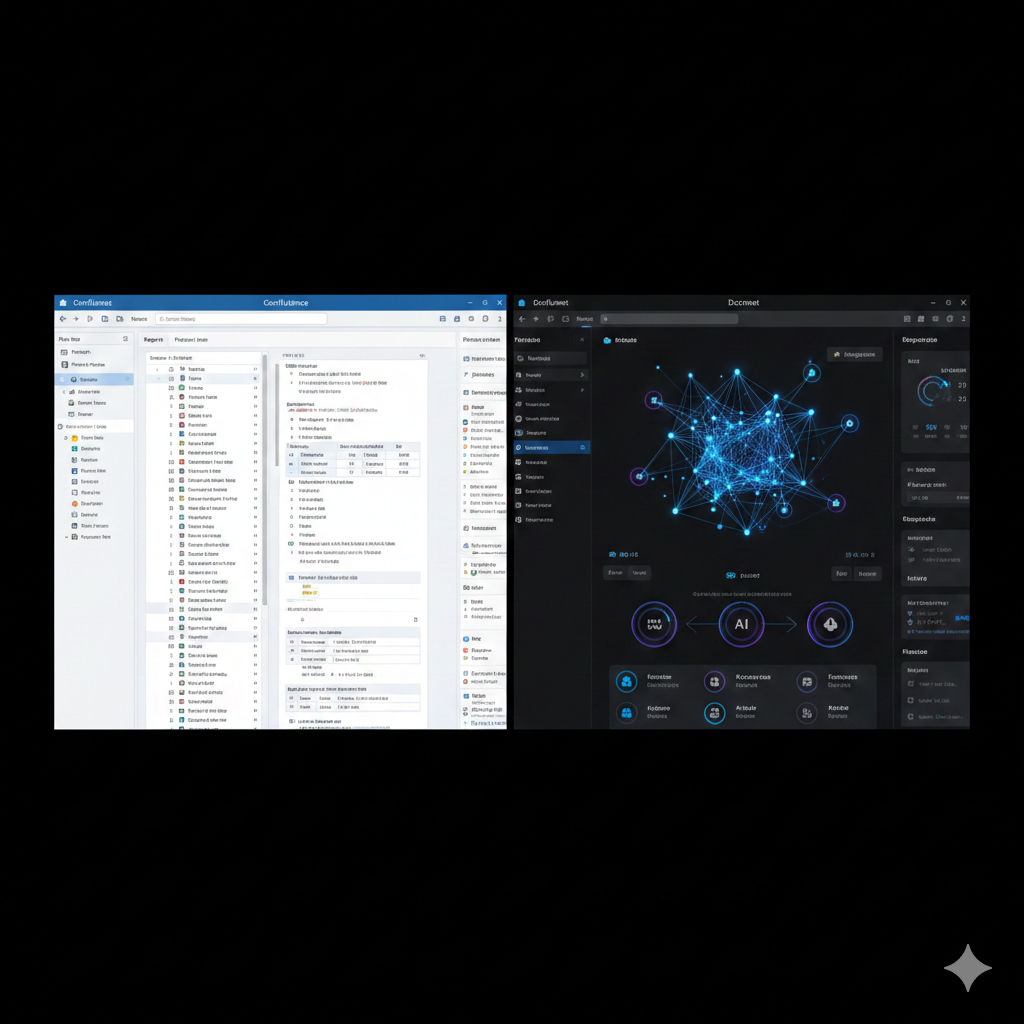
Confluence vs Docmet: At a Glance
Key differences for enterprise buyers evaluating both platforms.
Why Wikis Fail at Scale
The Wiki Graveyard Problem
Every organization with Confluence faces the same pattern:
Year 1: Excitement. Teams enthusiastically document processes, decisions, and technical specs.
Year 2: Chaos. Pages multiply. Nobody knows if the "New Employee Onboarding v2" page is current or if "New Employee Onboarding FINAL" is the real version.
Year 3: Abandonment. Confluence becomes a graveyard. Pages are outdated, search returns too many irrelevant results, and teams resort to asking colleagues directly because "the wiki is useless."
Why This Happens
- No Knowledge Graph: Confluence doesn't understand that "Project Alpha" in Engineering relates to "Q3 Budget" in Finance. Pages exist in isolation.
- No Freshness Detection: There's no system to flag when the "GDPR Compliance Policy" page hasn't been updated in 18 months despite regulation changes.
- Manual Linking: Humans must remember to link related pages. They forget. Knowledge siloes form.
- Search Limitations: Keyword search fails for questions like "Who approved budgets that were later cut?" Confluence can't reason across documents.
- No Intelligence: Confluence stores information but doesn't generate insights. Want to compare Q3 vs Q4 revenue by department? You'll manually compile data from 12 different pages.
What Organizations Need Instead
- Proactive Intelligence: AI that warns "This policy hasn't been reviewed since the regulation changed."
- Relationship Understanding: Systems that know "Contract A" depends on "Budget B" which was approved by "Person C."
- Verified Answers: AI that cites sources and self-corrects before presenting answers.
- Dynamic Insights: Ask "Compare budgets" and receive an interactive table, not a link to 5 different pages.
Docmet delivers all of this. Confluence cannot

Use Case Recommendations
Both tools have strengths. Here's an honest assessment of when each platform shines.
✅ You Need a Simple Wiki (<5,000 Pages)
For small teams documenting straightforward processes, Confluence's simplicity is sufficient. If your knowledge base is stable, rarely cross-referenced, and doesn't require AI insights, Confluence works.
✅ You're Deeply Integrated with Atlassian
If your entire workflow lives in Jira, Bitbucket, and other Atlassian tools, Confluence's native integration is valuable. Switching costs may outweigh benefits for teams <50 people.
✅ You Don't Need AI (Yet)
If your team is satisfied with manual search and has disciplined documentation practices, you may not need AI-powered knowledge management. Confluence is cheaper upfront.
🚀 Your Wiki Is a Graveyard (Stale, Disorganized)
If employees complain "I can't find anything" or "I don't trust the wiki," Docmet's AI solves this. Automated freshness detection, relationship mapping, and intelligent search resurrect dead wikis.
🚀 You Need Complex, Multi-Hop Queries
Questions like "Which engineering projects depend on budgets that were cut in Q3?" require relationship understanding. Confluence returns 47 irrelevant pages. Docmet's GraphRAG answers precisely.
🚀 Compliance & Audit Matter
Regulated industries (healthcare, finance, legal) require audit trails and citation accuracy. Confluence tracks page edits but not AI access. Docmet logs every query, retrieval, and answer for compliance.
🚀 Search Wastes 30%+ of Your Team's Time
If employees spend hours searching Confluence, Slack, email, and SharePoint, Docmet's unified search across all sources delivers 70% time savings. ROI justifies the higher cost.
🚀 You Want Proactive Insights (Not Just Search)
Docmet doesn't wait for queries. It proactively alerts you: "3 contracts expire this month," "This policy is stale," "Budget X is mentioned in 12 unreviewed documents." Confluence is reactive only.

Architecture Comparison
How They Work Under the Hood
Confluence: Traditional Wiki Architecture
Confluence is built on proven 2000s-era technology:
- Content Storage:
- Pages stored in relational database (PostgreSQL/MySQL)
- Rich text editor (TinyMCE) for formatting
- File attachments stored separately
- Search:
- Apache Lucene full-text indexing
- Keyword matching with basic relevance scoring
- No semantic understanding (searches for exact terms)
- Organization:
- Hierarchical page trees (parent-child)
- Manual linking between pages
- Spaces for department-level organization
Strengths:
- Battle-tested (20+ years of stability)
- Predictable performance for read-heavy workloads
- Strong integration with Jira, Bitbucket
Limitations:
- No relationship intelligence: Can't answer "Show me all documents that depend on Project Alpha"
- Stale content: No automated freshness detection
- Manual curation: Humans must maintain page hierarchies and links
- Static information: Cannot generate insights, only retrieves stored content
Docmet: AI-Native Knowledge Engine
Docmet uses modern AI orchestration architecture:
- Multi-Modal Storage:
- Documents stored with full version history (Git-like)
- Knowledge graph (Neo4j) stores entities + relationships
- Vector database (Pinecone) for semantic search
- Traditional search (ElasticSearch) for keywords
- GraphRAG Intelligence:
- Entity Extraction: Identifies people, projects, budgets, contracts
- Relationship Mapping: Discovers connections (APPROVED_BY, DEPENDS_ON, SUPERSEDES)
- Multi-Hop Traversal: Follows chains of relationships across documents
- Multi-Agent Orchestration:
- Planner Agent: Decomposes complex queries
- Retriever Agent: Hybrid search (keyword + semantic + graph)
- Grader Agent: CRAG verification (self-corrects low-quality results)
- Generator Agent: Creates answers + A2UI components
- Compliance Agent: Enforces RBAC and PII masking
- Freshness Agent: Detects stale content (marks pages "likely outdated")
- Conflict Detector: Flags contradictions between documents
Strengths:
- Relationship understanding: Answers multi-hop questions Confluence cannot
- Proactive insights: Doesn't wait for queries; alerts users to issues
- Self-correcting: CRAG loops prevent hallucinations
- Interactive outputs: Generates tables, charts, workflows
Limitations:
- Higher complexity: Requires 1-2 weeks to build knowledge graph for large repos
- Cost: More expensive than Confluence (but ROI is higher)
Real-World Example
Scenario: Your company is auditing Q3 spending and needs to identify all projects that exceeded budget.
Confluence Approach:
- Search: User searches "Q3 budget" → 87 results
- Manual Review: User opens 10-15 pages, reads each one
- Spreadsheet: User manually compiles data into Excel
- Cross-Reference: User searches for related project pages
- Time Elapsed: 4-6 hours
Issues:
- No automated aggregation
- High risk of missing documents
- Manual, error-prone process
Docmet Approach:
Query: "Show me all projects that exceeded their Q3 budget, with approval history."
Docmet Response (2 seconds):
Project | Department | Q3 Budget | Q3 Actual | Variance | Approved By | Approval Date
Cloud Migration | Engineering | $500K | $680K | +36% ⚠️ | Jane Doe | Mar 15, 2025
Office Expansion | Operations | $200K | $245K | +23% ⚠️ | Mike Smith | Apr 2, 2025
Marketing Campaign | Marketing | $150K | $148K | -1% ✅ | Sarah Lee | Feb 20, 2025
Sources:
- [Q3 Budget Review - Finance] (paragraph 8-12)
- [Engineering Projects Tracker] (rows 15-23)
- [Approval Log - Executive] (entries 45-47)
AI Insight: "2 projects exceeded budget. Cloud Migration variance is particularly high. Last audit was 4 months ago—recommend immediate review."
Advantages:
- Automated aggregation across multiple documents
- Relationship traversal (links projects → budgets → approvals)
- Proactive recommendation
- Time saved: 4-6 hours → 2 seconds
Core Capabilities, Line by Line
Detailed Feature Comparison
✍️ Content Creation & Editing
Confluence: Rich text editor with macros (tables, code blocks, embeds). Good for long-form documentation. Docmet: Markdown-based editor with real-time collaboration. AI assists: "Generate contract template," "Summarize this page."
🔍 Search & Discovery
Confluence: Keyword search. Users must know what to search for. No "discovery mode." Docmet: Hybrid search (keyword + semantic + graph). Ask questions in natural language: "What did we decide about remote work?" AI understands intent.
📂 Content Organization
Confluence: Spaces → Pages (hierarchical tree). Manually create structure. Docmet: Spaces → Folders → Pages with automatic relationship mapping. AI suggests related content.
🕐 Version Control & History
Confluence: Page history with diff viewer. Can revert to old versions. No branching. Docmet: Git-style version control with branching, merging, and immutable audit logs. Compliance-ready.
🔒 Access Control
Confluence: Space-level and page-level permissions. Groups and individual user control. Docmet: RBAC at document AND paragraph level. AI respects permissions (Legal sees contracts, Finance sees budgets). Complete audit trail.
🔌 Integrations
Confluence: Native: Jira, Bitbucket, Trello. REST API for custom integrations. Docmet: Native: Confluence(!), Google Drive, SharePoint, GitHub, Salesforce. Indexes external sources in real-time.
⚠️ Stale Content Detection
Confluence:❌ None. Pages can be outdated for years without warning. Docmet: ✅ Automated freshness scoring. AI flags "This policy hasn't been updated since regulations changed."
🕸️ Relationship Mapping
Confluence: Manual page links only. No automated relationship discovery. Docmet: GraphRAG automatically extracts entities (people, projects, budgets) and relationships (APPROVED_BY, DEPENDS_ON). Visualize knowledge graph.
🤖 AI Capabilities
Confluence: ❌ None. Confluence is a storage system, not an AI platform. Docmet: ✅ Multi-agent AI: Q&A, summarization, analysis, insight generation, A2UI (interactive tables/charts).
⚡ Performance at Scale
Confluence: Optimized for <50,000 pages. Performance degrades at scale (search latency, page load times). Docmet: Architected for millions of documents. Sub-2-second queries even at 500K+ pages.
📋 Compliance & Audit
Confluence: Basic audit log (who edited what page). Not sufficient for regulatory compliance. Docmet: Complete audit trail: every AI query, every document access, every permission change. SOC2, HIPAA, GDPR ready.
🔔 Proactive Alerts
Confluence: ❌ None. Confluence is reactive (you must search). Docmet: ✅ AI monitors content: "3 contracts expire this month," "Budget variance detected," "Policy out of compliance."

Switching from Confluence to Docmet
How to Migrate (Without Disrupting Your Team)
Step 1: Discovery & Audit (Week 1)
What happens:
- Docmet team audits Confluence: space count, page count, attachment size, user roles
- Identify "dead" spaces (not accessed in 12+ months) to archive
- Map Confluence spaces to Docmet Spaces (1:1 or consolidated)
Your involvement: 2-hour kickoff + provide Confluence admin credentials
Step 2: Pilot Migration (Weeks 2-3)
What happens:
- Migrate 1-2 Confluence spaces as proof-of-concept
- Build knowledge graph from migrated content
- Power users test Docmet side-by-side with Confluence
Your involvement: 5-10 power users test daily, provide feedback
Step 3: Full Migration (Weeks 4-8)
What happens:
- Batch export from Confluence (XML + attachments)
- Preserve: page hierarchy, version history, comments, attachments, permissions
- Enhance: GraphRAG builds relationships, freshness scoring flags stale pages
Your involvement: Weekly status meetings (30 minutes)
Step 4: Knowledge Graph Enrichment (Weeks 6-9)
What happens:
- Docmet's AI extracts entities (people, projects, budgets, contracts)
- Maps relationships (APPROVED_BY, DEPENDS_ON, SUPERSEDES)
- Custom ontology for your industry (e.g., Legal: CONTRACT, PARTY, CLAUSE)
Your involvement: Review sample graph, provide domain expertise (2-hour session)
Step 5: Training & Go-Live (Week 10)
What happens:
- 2-day training for admins and end-users
- Cutover: Confluence becomes read-only archive, Docmet is primary
- 30-day hypercare support (daily check-ins)
Your involvement: All-hands training (2 hours per department)
Step 6: Optimization (Weeks 11-16)
What happens:
- Monitor usage analytics: query performance, user satisfaction, stale content detection
- Build custom agents for unique workflows
- ROI measurement: time saved, support deflection, compliance improvements
Your involvement: Weekly optimization reviews
Typical Timeline & Costs
- Timeline: 10-16 weeks (depends on Confluence size)
- Professional Services: $25,000-$50,000
- Success Rate: 98% of migrations complete on time
What's Preserved
- All pages, attachments, comments
- Version history (converted to Git-style format)
- Permissions (mapped to Docmet RBAC)
- Page hierarchy (becomes Spaces → Folders → Pages)
What's Enhanced
- Pages become nodes in knowledge graph
- Stale content flagged automatically
- Relationships extracted and visualized
- AI can answer questions pages never explicitly answered
How to Migrate (Without Disrupting Your Team)
Step 1: Discovery & Audit (Week 1)
What happens:
- Docmet team audits Confluence: space count, page count, attachment size, user roles
- Identify "dead" spaces (not accessed in 12+ months) to archive
- Map Confluence spaces to Docmet Spaces (1:1 or consolidated)
Your involvement: 2-hour kickoff + provide Confluence admin credentials
Step 2: Pilot Migration (Weeks 2-3)
What happens:
- Migrate 1-2 Confluence spaces as proof-of-concept
- Build knowledge graph from migrated content
- Power users test Docmet side-by-side with Confluence
Your involvement: 5-10 power users test daily, provide feedback
Step 3: Full Migration (Weeks 4-8)
What happens:
- Batch export from Confluence (XML + attachments)
- Preserve: page hierarchy, version history, comments, attachments, permissions
- Enhance: GraphRAG builds relationships, freshness scoring flags stale pages
Your involvement: Weekly status meetings (30 minutes)
Step 4: Knowledge Graph Enrichment (Weeks 6-9)
What happens:
- Docmet's AI extracts entities (people, projects, budgets, contracts)
- Maps relationships (APPROVED_BY, DEPENDS_ON, SUPERSEDES)
- Custom ontology for your industry (e.g., Legal: CONTRACT, PARTY, CLAUSE)
Your involvement: Review sample graph, provide domain expertise (2-hour session)
Step 5: Training & Go-Live (Week 10)
What happens:
- 2-day training for admins and end-users
- Cutover: Confluence becomes read-only archive, Docmet is primary
- 30-day hypercare support (daily check-ins)
Your involvement: All-hands training (2 hours per department)
Step 6: Optimization (Weeks 11-16)
What happens:
- Monitor usage analytics: query performance, user satisfaction, stale content detection
- Build custom agents for unique workflows
- ROI measurement: time saved, support deflection, compliance improvements
Your involvement: Weekly optimization reviews
Typical Timeline & Costs
- Timeline: 10-16 weeks (depends on Confluence size)
- Professional Services: $25,000-$50,000
- Success Rate: 98% of migrations complete on time
What's Preserved
- All pages, attachments, comments
- Version history (converted to Git-style format)
- Permissions (mapped to Docmet RBAC)
- Page hierarchy (becomes Spaces → Folders → Pages)
What's Enhanced
- Pages become nodes in knowledge graph
- Stale content flagged automatically
- Relationships extracted and visualized
- AI can answer questions pages never explicitly answered
How to Migrate (Without Disrupting Your Team)
Step 1: Discovery & Audit (Week 1)
What happens:
- Docmet team audits Confluence: space count, page count, attachment size, user roles
- Identify "dead" spaces (not accessed in 12+ months) to archive
- Map Confluence spaces to Docmet Spaces (1:1 or consolidated)
Your involvement: 2-hour kickoff + provide Confluence admin credentials
Step 2: Pilot Migration (Weeks 2-3)
What happens:
- Migrate 1-2 Confluence spaces as proof-of-concept
- Build knowledge graph from migrated content
- Power users test Docmet side-by-side with Confluence
Your involvement: 5-10 power users test daily, provide feedback
Step 3: Full Migration (Weeks 4-8)
What happens:
- Batch export from Confluence (XML + attachments)
- Preserve: page hierarchy, version history, comments, attachments, permissions
- Enhance: GraphRAG builds relationships, freshness scoring flags stale pages
Your involvement: Weekly status meetings (30 minutes)
Step 4: Knowledge Graph Enrichment (Weeks 6-9)
What happens:
- Docmet's AI extracts entities (people, projects, budgets, contracts)
- Maps relationships (APPROVED_BY, DEPENDS_ON, SUPERSEDES)
- Custom ontology for your industry (e.g., Legal: CONTRACT, PARTY, CLAUSE)
Your involvement: Review sample graph, provide domain expertise (2-hour session)
Step 5: Training & Go-Live (Week 10)
What happens:
- 2-day training for admins and end-users
- Cutover: Confluence becomes read-only archive, Docmet is primary
- 30-day hypercare support (daily check-ins)
Your involvement: All-hands training (2 hours per department)
Step 6: Optimization (Weeks 11-16)
What happens:
- Monitor usage analytics: query performance, user satisfaction, stale content detection
- Build custom agents for unique workflows
- ROI measurement: time saved, support deflection, compliance improvements
Your involvement: Weekly optimization reviews
Typical Timeline & Costs
- Timeline: 10-16 weeks (depends on Confluence size)
- Professional Services: $25,000-$50,000
- Success Rate: 98% of migrations complete on time
What's Preserved
- All pages, attachments, comments
- Version history (converted to Git-style format)
- Permissions (mapped to Docmet RBAC)
- Page hierarchy (becomes Spaces → Folders → Pages)
What's Enhanced
- Pages become nodes in knowledge graph
- Stale content flagged automatically
- Relationships extracted and visualized
- AI can answer questions pages never explicitly answered
How to Migrate (Without Disrupting Your Team)
Step 1: Discovery & Audit (Week 1)
What happens:
- Docmet team audits Confluence: space count, page count, attachment size, user roles
- Identify "dead" spaces (not accessed in 12+ months) to archive
- Map Confluence spaces to Docmet Spaces (1:1 or consolidated)
Your involvement: 2-hour kickoff + provide Confluence admin credentials
Step 2: Pilot Migration (Weeks 2-3)
What happens:
- Migrate 1-2 Confluence spaces as proof-of-concept
- Build knowledge graph from migrated content
- Power users test Docmet side-by-side with Confluence
Your involvement: 5-10 power users test daily, provide feedback
Step 3: Full Migration (Weeks 4-8)
What happens:
- Batch export from Confluence (XML + attachments)
- Preserve: page hierarchy, version history, comments, attachments, permissions
- Enhance: GraphRAG builds relationships, freshness scoring flags stale pages
Your involvement: Weekly status meetings (30 minutes)
Step 4: Knowledge Graph Enrichment (Weeks 6-9)
What happens:
- Docmet's AI extracts entities (people, projects, budgets, contracts)
- Maps relationships (APPROVED_BY, DEPENDS_ON, SUPERSEDES)
- Custom ontology for your industry (e.g., Legal: CONTRACT, PARTY, CLAUSE)
Your involvement: Review sample graph, provide domain expertise (2-hour session)
Step 5: Training & Go-Live (Week 10)
What happens:
- 2-day training for admins and end-users
- Cutover: Confluence becomes read-only archive, Docmet is primary
- 30-day hypercare support (daily check-ins)
Your involvement: All-hands training (2 hours per department)
Step 6: Optimization (Weeks 11-16)
What happens:
- Monitor usage analytics: query performance, user satisfaction, stale content detection
- Build custom agents for unique workflows
- ROI measurement: time saved, support deflection, compliance improvements
Your involvement: Weekly optimization reviews
Typical Timeline & Costs
- Timeline: 10-16 weeks (depends on Confluence size)
- Professional Services: $25,000-$50,000
- Success Rate: 98% of migrations complete on time
What's Preserved
- All pages, attachments, comments
- Version history (converted to Git-style format)
- Permissions (mapped to Docmet RBAC)
- Page hierarchy (becomes Spaces → Folders → Pages)
What's Enhanced
- Pages become nodes in knowledge graph
- Stale content flagged automatically
- Relationships extracted and visualized
- AI can answer questions pages never explicitly answered

True Cost of Ownership (100 Users, 3-Year Horizon)
Cost Analysis
Confluence Data Center
Users: Unlimited
Storage: Unlimited
What's included:
Docmet Enterprise
Users: Unlimited
Storage: Unlimited
What's included:
Cost Analysis

Don't Just Take Our Word For It
Why Teams Switched
“Our Confluence had 250,000 pages. Nobody used it because search was useless. Docmet's GraphRAG found connections between client projects we didn't know existed. We uncovered $2M in cross-sell opportunities in the first month.”

Confluence to Docmet: Your Questions Answered
Common Questions
From Static Wiki to Intelligent Knowledge Engine
Confluence served you well in the 2010s. In 2026, organizations need AI that understands relationships, surfaces insights proactively, and guarantees accuracy. Schedule a comparison demo where we'll migrate a sample Confluence space and show you the difference GraphRAG makes.

Compare Docmet with Other Tools
Explore More Comparisons